Choose the right document
Select the issuing country and document type. Explain which pages or sides are needed before the customer begins.

Bring passports, national IDs and driver’s licences into one document verification journey. Guide customers to capture or upload the required pages, with clear instructions from selection to outcome.
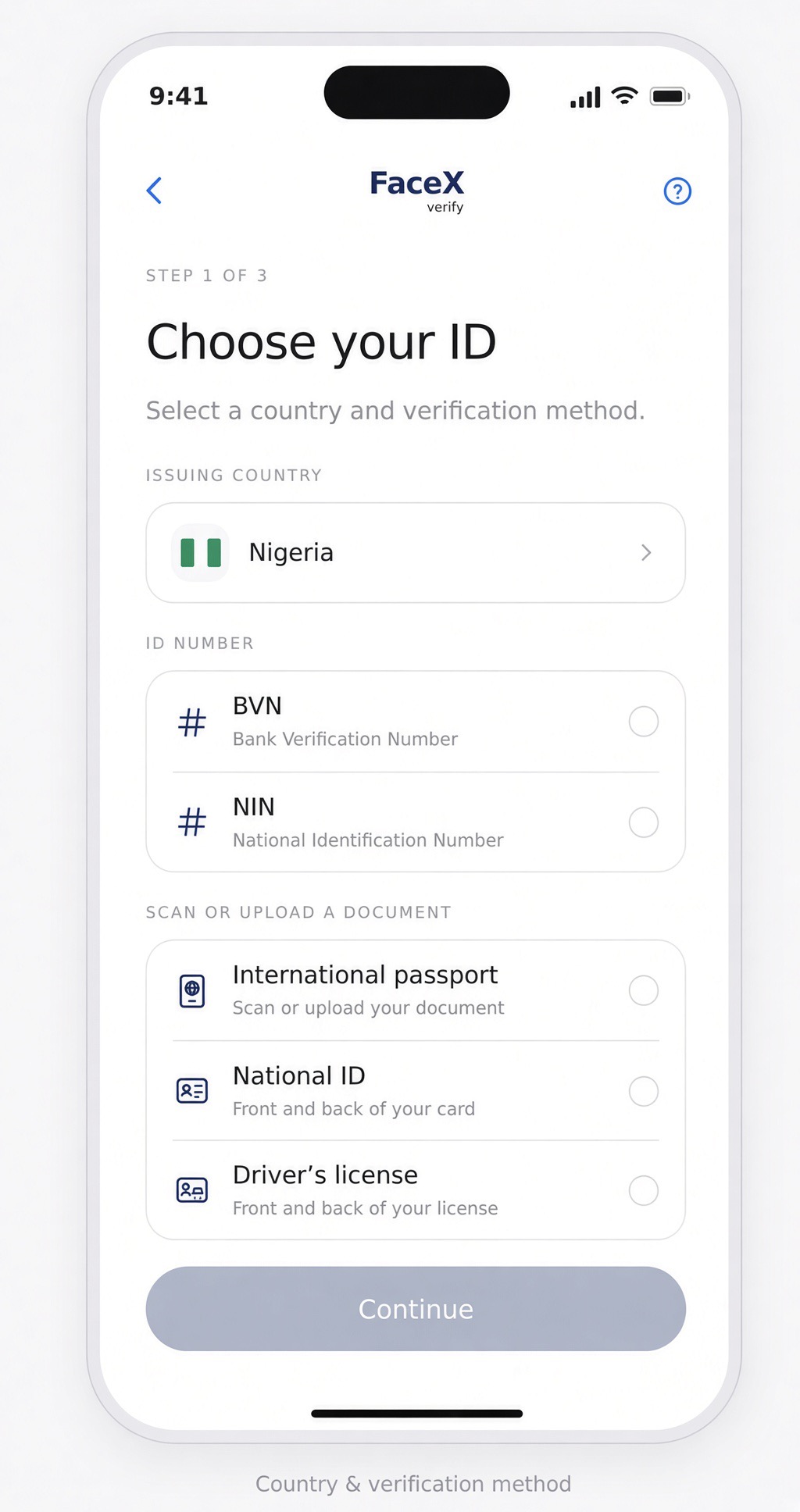
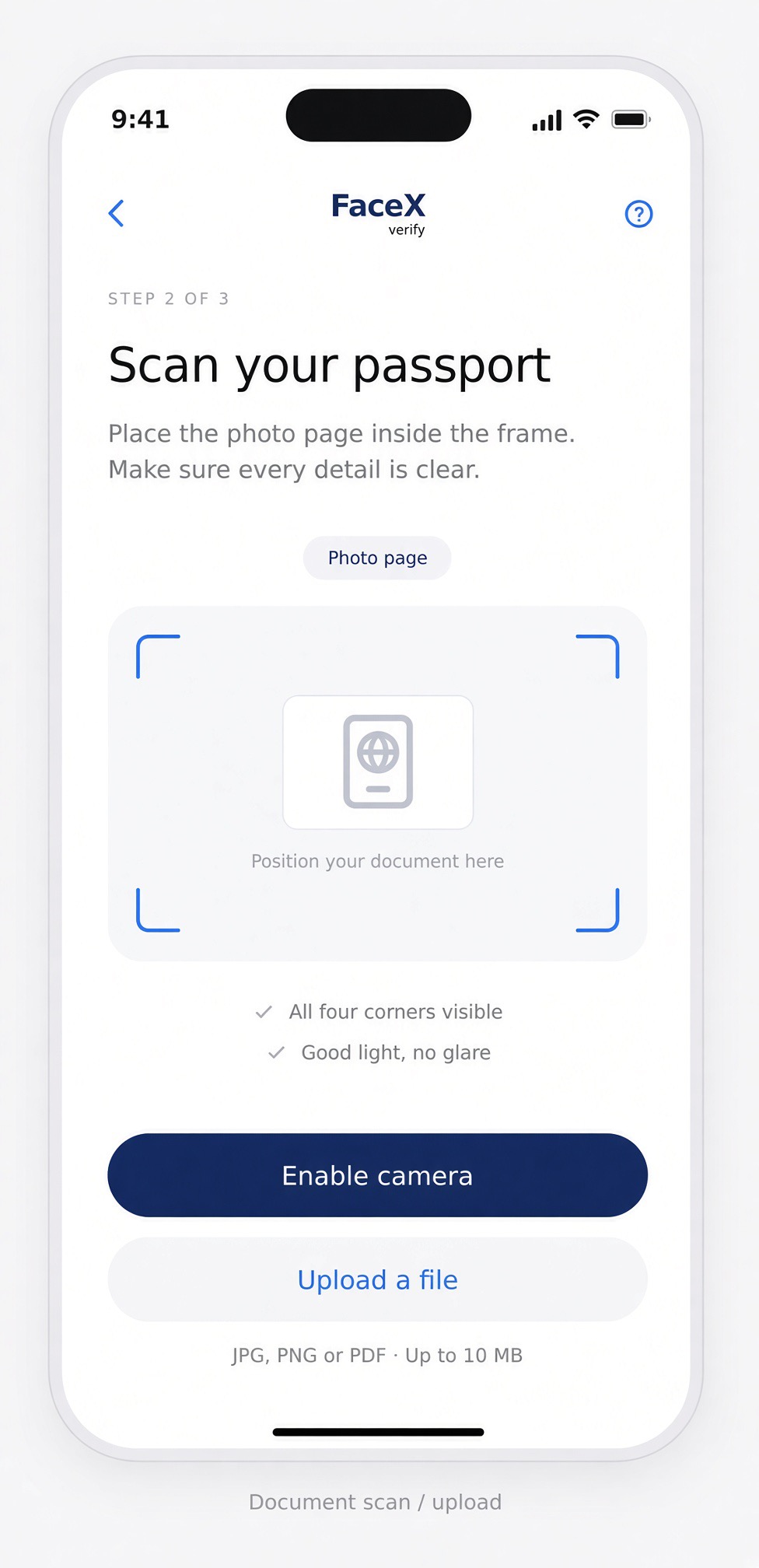
Passport, national ID and driver’s licence.
Clear choices for providing document evidence.
Link document evidence to face verification.
Select the issuing country and document type. Explain which pages or sides are needed before the customer begins.
Guide document placement, lighting and visibility. Make the photo page or required document sides easy to capture clearly.
Use an authorised document portrait as a face reference when available. Bring document and live face evidence together in the configured verification policy.
FaceX SDKs bring the verification journey into your web and mobile applications.
The FaceX document journey covers international passports, national IDs and driver’s licences. Confirm the issuing countries and document versions enabled for your integration.
The customer experience includes scanning and file upload. Your integration should explain the required pages, file formats and upload limits.
A document portrait provides a reference image. Live presence, camera authenticity and manipulation checks assess different evidence and must be considered where required.
Explore the product contract and your platform’s SDK guide.